FiveM Character Preset Codes: Complete Guide for Custom Characters
 John Thompson
FiveM character preset codes have revolutionized how players customize their in-game personas on GTA V multiplayer servers. These alphanumeric strings contain detailed facial feature data that can transform a default character into anything from a realistic civilian to a celebrity lookalike. Understanding how these codes work opens up endless possibilities for roleplay servers and personal expression.
The preset system emerged as players sought faster ways to share character designs without manually adjusting dozens of sliders. A single code captures everything from jaw structure to eye spacing, making character creation accessible even for newcomers. This guide breaks down everything you need to know about finding, using, and troubleshooting these codes.
What Are Character Preset Codes
Character preset codes function as compressed data files containing all facial customization parameters for FiveM characters. When you spend hours perfecting a character's appearance, the game stores those choices as numerical values. These values get encoded into a shareable string that others can input to replicate your exact design.
The codes typically appear as long sequences mixing letters and numbers. They work with the character creation menus found on most roleplay servers, particularly those using frameworks like ESX, QBCore, or custom systems. Different servers may use slightly different encoding methods, but the core concept remains consistent across platforms.
Think of preset codes like recipe cards. Instead of telling someone to add "a pinch" of nose width and "a dash" of cheekbone height, the code provides exact measurements. This precision ensures the character looks identical regardless of who applies the preset.
Where to Find Quality Preset Codes
Several communities have emerged specifically for sharing FiveM character presets. Discord servers dedicated to roleplay communities often feature channels where users post their creations with accompanying codes. These spaces let you browse hundreds of designs, from realistic everyday faces to stylized characters.
Reddit communities like r/FiveM and r/GTAVRoleplay regularly see users sharing their preset codes. Forum threads on GTA5-Mods.com also host collections, though you'll need to verify compatibility with your server's framework. YouTube creators sometimes include codes in video descriptions when showcasing character designs.
Some dedicated websites catalog presets by category. You can filter by gender, ethnicity, age appearance, or style. Popular options include premade codes for law enforcement characters, medical personnel, or street gang members. Always check when a preset was uploaded, as older codes might not work with updated server versions.
Creating your own remains an option too. Many players prefer designing from scratch, then saving their work as a preset code to reuse across different servers or share with friends.
How to Apply Preset Codes on Your Server
The application process varies slightly depending on your server's character creation system. Most follow a similar pattern that takes just minutes once you understand the workflow.
Start by entering your server's character creation screen. This usually happens during initial spawn or when accessing a barber shop or plastic surgeon location in-game. Look for an option labeled "Import Preset," "Load Code," or similar wording in the customization menu.
Copy your desired preset code to your clipboard. Paste it into the designated text field within the character editor. Some servers require you to press a confirmation button, while others apply changes instantly. Your character's appearance should update immediately to match the preset specifications.
If you're working with a preset code from an external source, double-check that it matches your server's framework. ESX presets won't work on QBCore servers without conversion, and vice versa. Server-specific custom frameworks might require entirely different code formats.
After applying a preset, you can still make adjustments. The code serves as a starting point rather than a locked-in design. Tweak individual features like hair color, makeup, or specific facial elements without losing the base structure.
Common Issues and Solutions
Invalid code errors happen frequently, especially when using older presets or codes from incompatible frameworks. The character might appear distorted, completely different from previews, or fail to load entirely. This usually means the code format doesn't match your server's expected structure.
Some servers implement character validation that rejects certain extreme slider values. If a preset code worked elsewhere but fails on your current server, the original creator might have used values outside your server's allowed ranges. Try finding an alternative preset or manually recreating the look within acceptable parameters.
Version mismatches between the code generation and your current game version can cause problems. FiveM updates occasionally change how character data gets encoded. Codes created before major updates might need regeneration using current tools.
Missing resources or incorrectly configured server files prevent preset systems from functioning. If no character codes work on your server, the administrator might need to verify that character creation scripts are properly installed and running. This typically requires server-side troubleshooting rather than client-side fixes.
Character appearance sometimes looks different after leaving the creation screen. Lighting conditions dramatically affect how faces appear in-game versus the creation menu. What looks perfect under controlled lighting might need adjustment for typical gameplay environments.
Creating and Sharing Your Own Codes
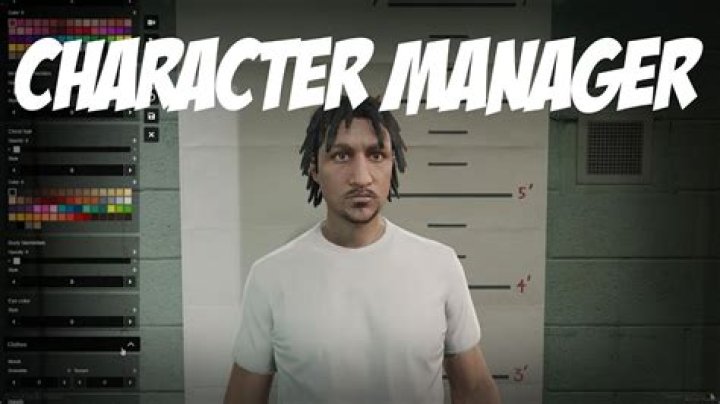
Building a character from scratch gives you complete creative control. Access your server's character customization interface and experiment with the available sliders. Heritage options let you blend two parent faces, while detail sliders control specific features like nose width, jaw prominence, and eye shape.
Pay attention to proportions rather than maxing out individual features. Realistic characters typically use moderate values across most sliders. Extreme settings often produce cartoonish or unsettling results, though stylized designs might intentionally push boundaries.
Once satisfied with your creation, look for the export or save preset option. The system generates your character code automatically. Copy this string and store it somewhere accessible like a notes app or Discord message to yourself. Test the code by importing it on a different character slot to confirm it works correctly.
When sharing codes publicly, include screenshots from multiple angles and different lighting conditions. Front-facing shots under neutral lighting help others judge whether they want to use your design. Mention which framework your code works with and when you created it.
Some creators add descriptions of their character concepts. A code labeled "30s corporate professional" or "street-smart mechanic" helps others find appropriate presets faster than generic uploads. Consider creating themed collections if you develop multiple related characters.
Advanced Customization Techniques
Experienced users combine multiple preset codes to create hybrid designs. Load a base preset, then manually adjust features by referencing elements from other codes. This technique produces unique characters while avoiding the time investment of starting from zero.
Makeup and overlay options dramatically change character appearance without altering underlying facial structure. The same base preset can look completely different with various makeup applications, aging effects, or complexion overlays. Experiment with these elements after applying your core preset code.
Lighting matters more than many players realize. Test your character in various in-game environments before finalizing. What looks good in the creation menu's controlled lighting might appear washed out in bright sunlight or too severe under artificial indoor lighting.
Some servers offer expanded customization through additional mods or scripts. Enhanced character creation resources provide more slider options, additional heritage combinations, or unique overlays not available in standard systems. Check what your specific server supports before assuming certain features will transfer.
Documentation helps if you create multiple characters across different servers. Keep a spreadsheet or document tracking which codes belong to which characters and servers. Include notes about any manual adjustments made after applying base presets.
Frequently Asked Questions
Can I use the same preset code on different servers?
It depends on framework compatibility. Servers using the same framework (like ESX or QBCore) usually accept the same preset codes. However, servers with custom character systems or different frameworks require codes specific to their setup. Always test codes in a character creation slot before committing to avoid issues.
Why does my character look different than the preset preview?
Several factors cause appearance variations. Different servers may use different character models or texture packs that affect how features render. Lighting conditions in the preview screenshot versus your game environment also create visual differences. Additionally, if you're using custom clothing or accessories, they might alter perceived facial proportions.
How do I convert preset codes between different frameworks?
Direct conversion isn't usually possible through simple methods. The frameworks store character data in different formats with varying parameters. Your best option involves manually recreating the character appearance in the new framework's creation system, then generating a fresh code. Some community tools claim to convert between formats, but results vary in reliability.
Are there preset codes for specific celebrities or characters?
Yes, many creators share presets designed to resemble famous people or fictional characters. Search community forums and Discord servers with specific names. However, perfect matches are rare due to game engine limitations. Most celebrity presets achieve a recognizable resemblance rather than exact duplication.
Can preset codes affect game performance?
No, preset codes themselves don't impact performance. They're simply data strings that tell the game which slider values to apply. Performance issues stem from server configuration, installed mods, or your computer's specifications rather than character appearance settings. Complex character models with many accessories might have minor effects, but the preset code itself remains neutral.
Best Practices for Server Administrators
Server owners should implement clear documentation about their character preset system. Specify which framework you're using and whether you've made custom modifications. This prevents player frustration when external codes don't work as expected.
Consider creating a starter pack of approved preset codes for new players. Offering 10-15 varied options helps newcomers jump into roleplay faster while maintaining server aesthetic standards. Include diverse options across genders, ages, and ethnic representations.
Regular backups of character databases prevent catastrophic losses. If something corrupts character data, players can restore their appearances without starting over. Most modern server frameworks include built-in backup systems that administrators should configure properly.
Testing new character creation scripts before deployment saves headaches. Set up a development server to verify preset codes import correctly and that all customization options function as intended. Player complaints about broken character systems damage server reputation quickly.
The Future of Character Customization
FiveM development continues expanding character customization capabilities. New mods and scripts regularly introduce additional features, from more detailed sliders to entirely new customization categories. Staying current with these developments keeps your server competitive and engaging.
Community-driven innovation pushes boundaries constantly. Creators develop tools that simplify preset sharing, conversion utilities that bridge framework gaps, and repositories that organize thousands of designs. Participating in these communities benefits both casual players and serious roleplayers.
The preset code system demonstrates how player creativity enhances gaming experiences. What started as a simple data-sharing method has evolved into a full ecosystem of character design resources. As servers and frameworks mature, expect even more sophisticated customization options that maintain the convenient preset code format.
Final Thoughts
Character preset codes represent one of FiveM's most user-friendly features. They democratize character creation by letting anyone access professional-quality designs without artistic skills or hours of slider adjustments. Whether you're joining your first roleplay server or managing an established community, understanding preset codes enhances the experience for everyone involved.
The key lies in matching codes to your specific server framework and being willing to make minor adjustments for perfect results. Don't hesitate to experiment with different presets until you find something that fits your vision. The worst that happens is you reset and try again.
Remember that character appearance serves your roleplay experience rather than defining it. A well-designed preset helps you feel connected to your character, but your actions and interactions matter more than facial structure. Use these codes as tools for immersion, not obstacles to overcome.